TRAVEL · TRANSLATE · REMEMBER
Baiboki
Find your words.Keep the moment.
Use scene-based phrases and back-translation when travelling. Save little discoveries with words and photos.
Explore app Google Play
THE BAIBOKI FAMILY
Translate a conversation. Keep a thought. Play your favourite song. Find a small app for the moment you are in.





 A LITTLE MORE POSSIBLE
 FIND YOUR LITTLE HELPER
Choose a purpose. See how it works.
TRAVEL · TRANSLATE · REMEMBER
Find your words.Keep the moment.
Use scene-based phrases and back-translation when travelling. Save little discoveries with words and photos.
BIG WORDS · BIG MOMENTS
Make your wordshard to miss.
Concert cheers, airport welcomes and party wishes. Turn a message into an LED sign, with photos and music-reactive effects.
TRANSLATE · CHECK · FOLLOW UP
Beyond a translation.A clearer next step.
Translate both ways and compare the back-translation. Clarify amounts, times and conditions, then use AI to organize agreements and next steps.
CAPTURE · REMEMBER · FOLLOW THROUGH
Capture the thought.Find the next step.
Save directly, or let AI separate tasks from memories. Keep the original words and confirm suggested reminder times yourself.
LOCAL MUSIC · CHORUSES · MOTION
Your own music.A fresh way to listen.
Rediscover a song in your local library. Chorus previews, bass and interactive visuals bring your collection to life. Playback needs no account.
PREPARE · TRAVEL · REMEMBER
Less searching.More exploring.
Prepare with a country travel pack. Keep stays, bookings and original addresses close; saved information remains readable offline.
ONE FINGER · A LITTLE MOMENTUM
Hold a star.Release into flight.
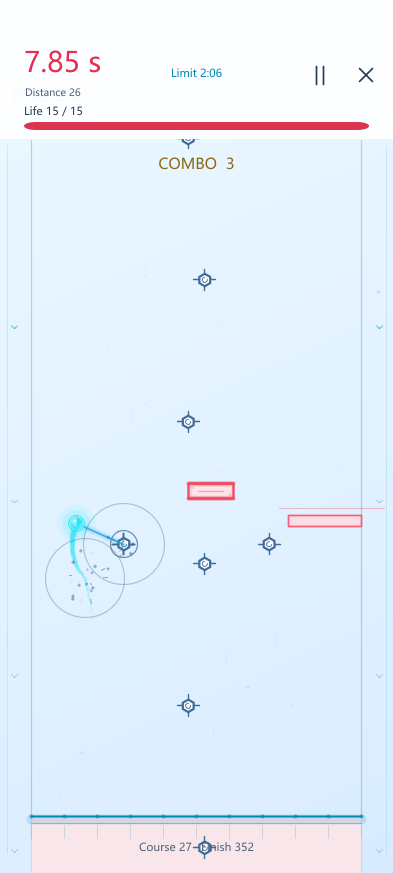
Hold to swing, release to fly. Find your rhythm through neon obstacles across four modes.
SMALL, THOUGHTFUL TOOLS
Each app has a clear purpose. See the scene before the settings.
Features, costs and privacy details stay with each product.
HELLO, BAIBOKI
Tell us what you would like a little help with.
TRANSLATE & REMEMBER
Find the words for meals and directions, and save the small discoveries that make a journey yours.

Start with dining, hotel, transit, shopping and help presets. Edit the details you need to say, or create your own scenes, instead of composing every travel phrase from scratch.
Translate your sentence, then translate it back into your language to compare it with your original words. Spot wording differences before showing the message. Back-translation is a comparison, not a guarantee of accuracy.
Save a moment as it happens: a tucked-away café, a quiet alley, something someone said or how you felt. Add notes and photos with a date and time. A single line is enough; no need to wait until the trip ends.
Choose up to nine treasured photos yourself. Use selected records for AI-written copy you can share, illustrated summaries, style images or travel magazine-style posters. Preview, save and share; illustrated summaries can become a long image.

Read text in a selected menu or sign photo, or use conversation translation with someone who speaks another language. Keep the translated message easy to show during the conversation.
Keep cities, hotel dates, addresses and travel records together. Ask AI for itinerary suggestions based on your dates and preferred pace, including estimated visit times. Check the details and save only the arrangements you choose.
What to eat? What to do at home or outside? Add your own options, draw lots, flip a coin or roll dice to give yourself a starting point.
Take a short break with a daily quote, Minesweeper, Gomoku, Make 24, memory and reaction games. A little diversion for waiting or downtime.
Quick notes, a counter, metronome, large text, screen fill light, screen flashes, noise light, angle copying and vibration measurement. Arrange home tools your way. Phone movement alerts depend on the device and settings and do not guarantee theft prevention.
Missing a feature? Email support@baiboki.com with what you want to do and when you would use it. The developer welcomes ideas, reviews requests and keeps adding useful improvements to the app.
Send a feature ideaCLEAR BENEFITS
Lifetime Pro unlocks local advanced features and includes a one-time AI trial pack. Ongoing hosted AI needs valid credits; using your own API for advanced workflows requires an active AI subscription.
Free includes core tools. Lifetime Pro is a one-time purchase for custom Home layouts, advanced effects, and higher on-device limits.
Your provider bills your own API. Buy credits for occasional hosted AI, or choose a subscription for advanced workflows. An active subscription includes Pro and cycle AI allowance.
DESIGN PRINCIPLES
We prioritize lightweight design, clear permissions and on-device processing wherever practical.
When a task can reasonably stay on the device, it should. Offline use is treated as a real use case.
Permissions are requested only when a feature needs them, with a clear explanation of their purpose.
We would rather make useful moments faster than inflate the app with features for the sake of a count.
Use official product pages and app stores for downloads. Available platforms and regions are shown in the store.