
Check what matters
Compare the original and back-translation; confirm key facts with the other person.
 BaiboTranslateA BAIBOKI APP
TRANSLATE · CHECK · FOLLOW UP
Translate both ways and compare the back-translation. Clarify amounts, times and conditions, then use AI to organize agreements and next steps.
No public store download link is provided here. Contact support for availability.
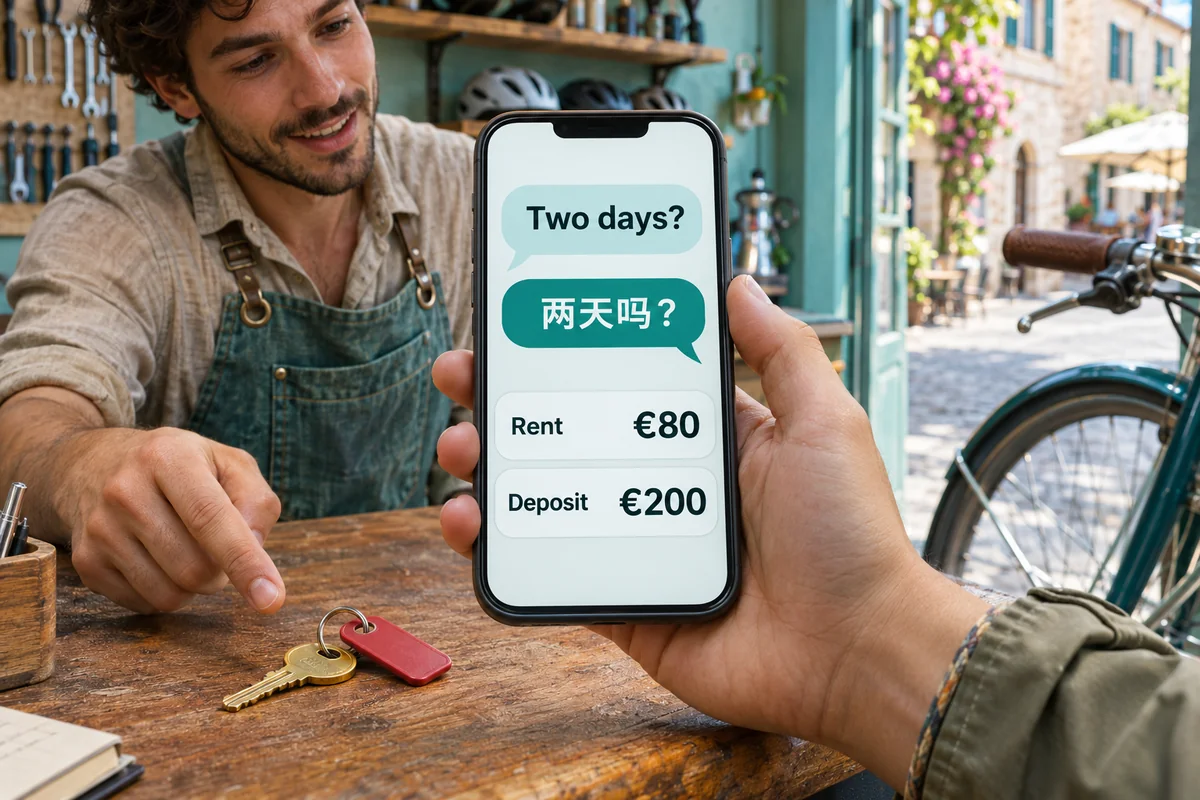
Interactive illustration · not an app screenshot
两天总共 80 欧元,另外收 200 欧元押金。
Return conditions were not stated. Confirm them with the other person.
A fixed example, not a live translator. Back-translation cannot guarantee accuracy.
Compare the original and back-translation; confirm key facts with the other person.
Keep rent, deposit and return conditions distinct.
Organize bilingual confirmation cards and tasks with the original text.
BEFORE · DURING · AFTER
Talk, Scenes and Records. Three main areas, with more help available when you need it.
Start with scene phrases and questions to ask. Use an AI draft to rehearse what might come up.
View translation and back-translation. Double-check amounts, times, conditions and who is doing what.
Review confirmation and action cards with their sources. Save a note, then choose a reminder time.
TRANSLATE · BACK-CHECK · FOLLOW UP
These capabilities are being built and validated in the development version. Final availability will depend on the released app.
Use text and voice, face to face or side by side. Keep translations and back-translations visible for review.
Ask AI to organize amounts, times, conditions and unanswered questions. Review the draft, then ask for clarification.
Bring a few important details together. AI drafts, your review and actual mutual confirmation have separate states.
Separate your actions from things you are waiting for. Keep original conditions and wording; choose reminders yourself.
Group conversations around the same thing and save terms you choose. Pick up the context next time.
AI settings, secure personal information cards, notes and reminders stay available within the independent app.
Save preferred translations on your device for each language direction, organized by work, health, or project. Select categories for a translation; only terms matching the current source are provided to AI.
Paste text or import TXT, Markdown, CSV, JSON, or DOCX body text, up to 30,000 characters. Choose any combination of key points and actions, detailed summary, full translation, and paired source and translation. DOCX headers, footers, and image text are not extracted yet.
Choose a source and target from 11 languages. Explore 198 preset vocabulary and grammar examples across beginner, intermediate, and advanced groups, or ask AI to explain a chosen expression in its source context.
The development version also adds image pointing, text-message drafts, tone adjustments, rehearsal and listening notes—all built around the conversation at hand.
One-time lifetime Pro. Your first purchase includes 500 AI credits, valid for 90 days from grant.
Purchased credits have no expiry. They belong to your account and are recoverable on another device. Pro is not required.
BaiboTranslate and Baiboki share sign-in, with separate balances and usage records. Read the relevant app’s purchase details and terms before buying.
Manage account and credits →Google Play purchases are not open yet. USD reference prices are shown; the store will confirm local prices.
BAIBO TRANSLATE
Bring conversation, glossaries, document translation and learning together. Voice, reminders and AI depend on your device, language and service. Use official product pages and app stores for downloads.
AI organization needs a connection and an available AI service. Translation packs, system voices and AI have different requirements; availability varies by language, device and service.
Tell us about a conversation you would like help with.
Contact Baibo support